Video in Apple Podcasts - all the details

Apple Podcasts has launched what it calls “a transformative update” for the way Apple Podcasts handles video. The feature was announced on Feb 17, and publicly launched with the release of iOS 26.4 on Mar 24, 2026.
Until now, Apple Podcasts did support video; but in a half-hearted way. If you listened to This Week in Tech (Audio) then you were expected to find This Week in Tech (Video), a separate podcast feed. That feed contains (massive) MP4 video files; and as we discovered in our testing, Apple Podcasts played them, but initially only in a tiny, tiny window (less than a tenth of an inch high).
Now, Apple Podcasts supports video in a very different way. And, many would say, better.
Podcasters who are using supported podcast hosting companies can publish video versions of shows alongside the audio episodes - no more separate RSS feeds. The playback works properly - no more tiny windows. And, perhaps most importantly for the podcast ecosystem, the video remains hosted by your podcast host, which means you can do dynamic ads if you want.
The way it works - see below - means that it only works for podcasts hosted by companies that have partnered with Apple Podcasts. At launch, those were Acast, ART19, Audiomeans, Ausha, Captivate, Firstory, Omny Studio, PodBean, Podigee, Podspace, Riverside, RSS
More content will roll out throughout the year.
Want to see it working?
We would make a video, but Stephen Robles has done it already and done a much better job than we would.

Not visible in the video above is that shows are highlighted as having video in the home page within Apple Podcasts as well.
Which shows is it enabled in?
There are a number of shows with video already enabled. When it was previewed, we played with a few different shows. Mind If We Talk? is hosted on Acast; and Baby, This is Keke Palmer is hosted on ART19. The Zane Lowe Interview Series, from Apple Music, is also available in video.
How it works technically
Apple Podcasts is not doing video via RSS. You still need an RSS feed to publish a show (that’s where your episode title and descriptions go), but once you’ve published the audio, your podcast hosting provider needs to separately send Apple Podcasts a URL to an HLS multivariate playlist for that episode to Apple Podcasts. That is sent to Apple using a special API that the podcast hosting provider has access to.
We’ve got lots of technical detail about the HLS multivariate playlist over here.
There is no support for the alternateEnclosure. (You can use it, and you’d be sensible to do that since iHeart have announced forthcoming support for it; but Apple won’t support it.)
You don’t upload your video to Apple. Instead, your podcast hosting provider will host the video yourself, using HLS.
What is so special about HLS?
Apple Podcasts is very excited about HLS. Here’s why it’s important.
Put simply, HLS breaks up a video into lots of short (ten second) long video files. An HLS playlist tells the app to “download this file” then “download this file”, and so on. As you watch, the video player is downloading and playing those files one after another. It downloads just enough for you to keep watching.
As it downloads the files, it’s keeping an eye on how long it takes to download them, and using HLS’s dynamic playlists, the player can switch to lower-quality files if it needs to. Perhaps your signal is low, for example.
Additionally, the audio is a separate piece of content. So even if the video breaks up - and we have seen that in our testing - the audio should continue to be unaffected.
Every video app (Netflix, YouTube, Spotify, etc) uses a form of HLS (or MPEG DASH, which is a competing system). So why is Apple so excited about HLS?
First, Apple invented it.
Second, it means that podcast hosting companies will serve the video. Not Apple. Which means…
Podcast hosting companies can serve dynamic ads in the video. This means that it’s up to creators, and their podcast hosting companies, how they want to monetise their shows - rather than just leaving it all to Spotify or YouTube.
And, since it downloads little slices of the video as you watch, it means that podcast hosting companies can see how much of each show is being watched. If you only watch the first ten minutes of a show, your podcast app will only download the first ten minutes of a show. Good news for everyone.
Apple’s business model is different
Spotify lets anyone upload video podcasts for free; but they sit on Spotify’s servers, and you’re limited with what you might want to do with advertising. However, if you’re big enough, you can get money from Spotify.
YouTube lets anyone upload video podcasts for free; but they sit on YouTube’s servers, and you’re limited with what you might want to do with advertising. However, if you’re big enough, you can get money from YouTube.
Apple will only accept video podcasts from partnering podcast hosting companies. They stay on the servers of those podcast hosting companies. And Apple will charge those podcast hosting companies an impression-based fee for the delivery of dynamic ads. So, Apple earns from any dynamic ads your ad provider serves.
Some podcasts are already using HLS video. These will not work with Apple Podcasts, which requires participating podcast hosts to send HLS information separately, and have specific requirements.
Do Apple charge for baked-in ads? No, they don’t. The charge is just for dynamic advertising: it doesn’t include baked-in ads.
Will Apple give any targeting data in return? No, they won’t. There’s no change from how it works with MP3/RSS today. The only thing your ad provider will be able to use to target the advertising, as now, is the IP address (as well as time of day, etc).
Will Apple Private Relay be used? No. There’s no change from how it works currently with MP3/RSS.
What does this mean for analytics?
Apple Podcasts Connect will continue to offer the same information it does today, and will include video playback.
We asked if video would be broken out separately within Apple Podcasts Connect. Apple replied to tell us that “Video will be included in podcast analytics” - they’re eager not to disappoint, but we suggest that the answer is no. However, your podcast hosting platform will have more data - significantly so, since HLS helps them get data that’s much more detailed.
Our impressions
We looked at the developer beta.
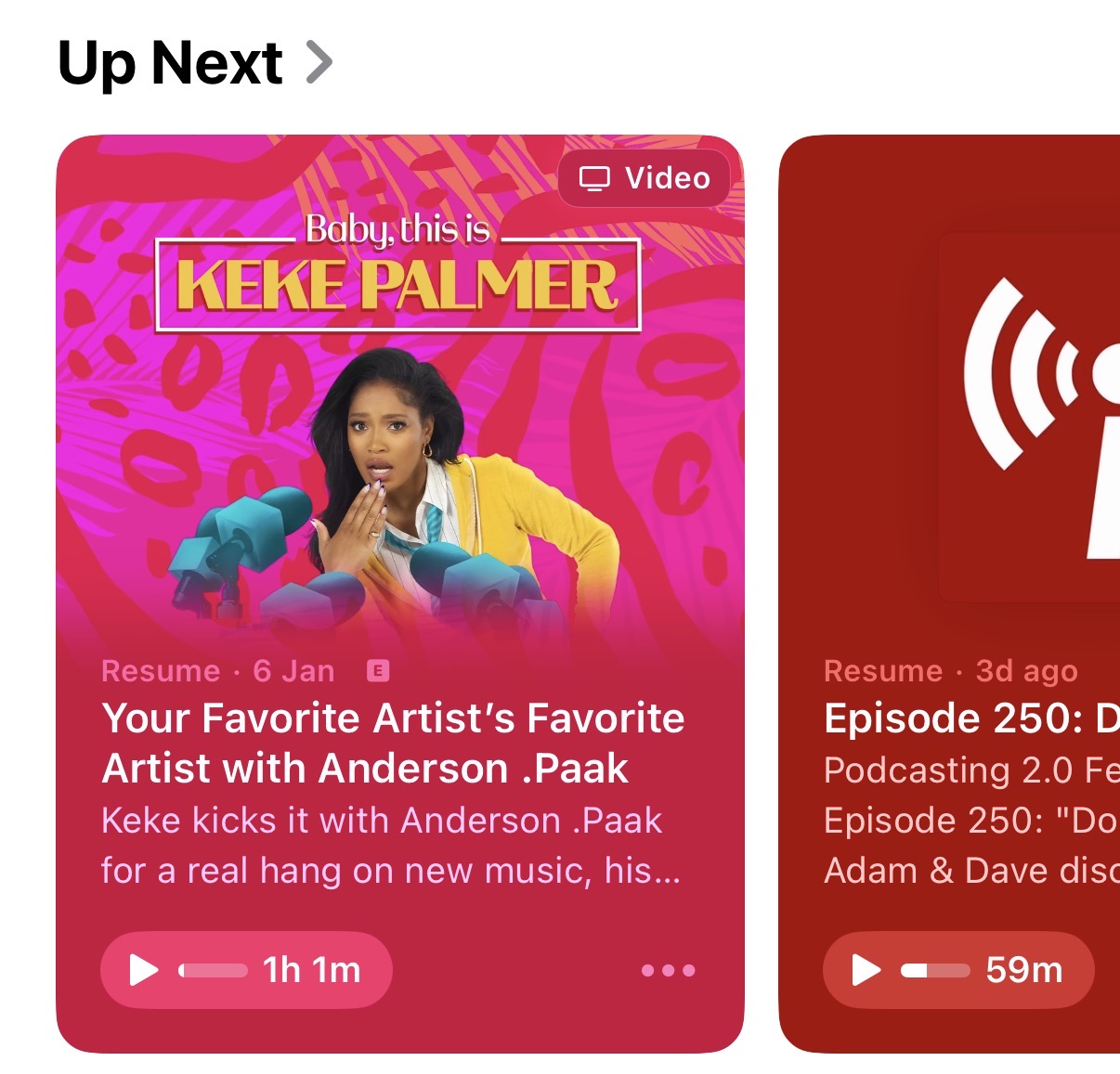
Video podcasts are now nicely highlighted in the home screen with a “video” icon, top-right.
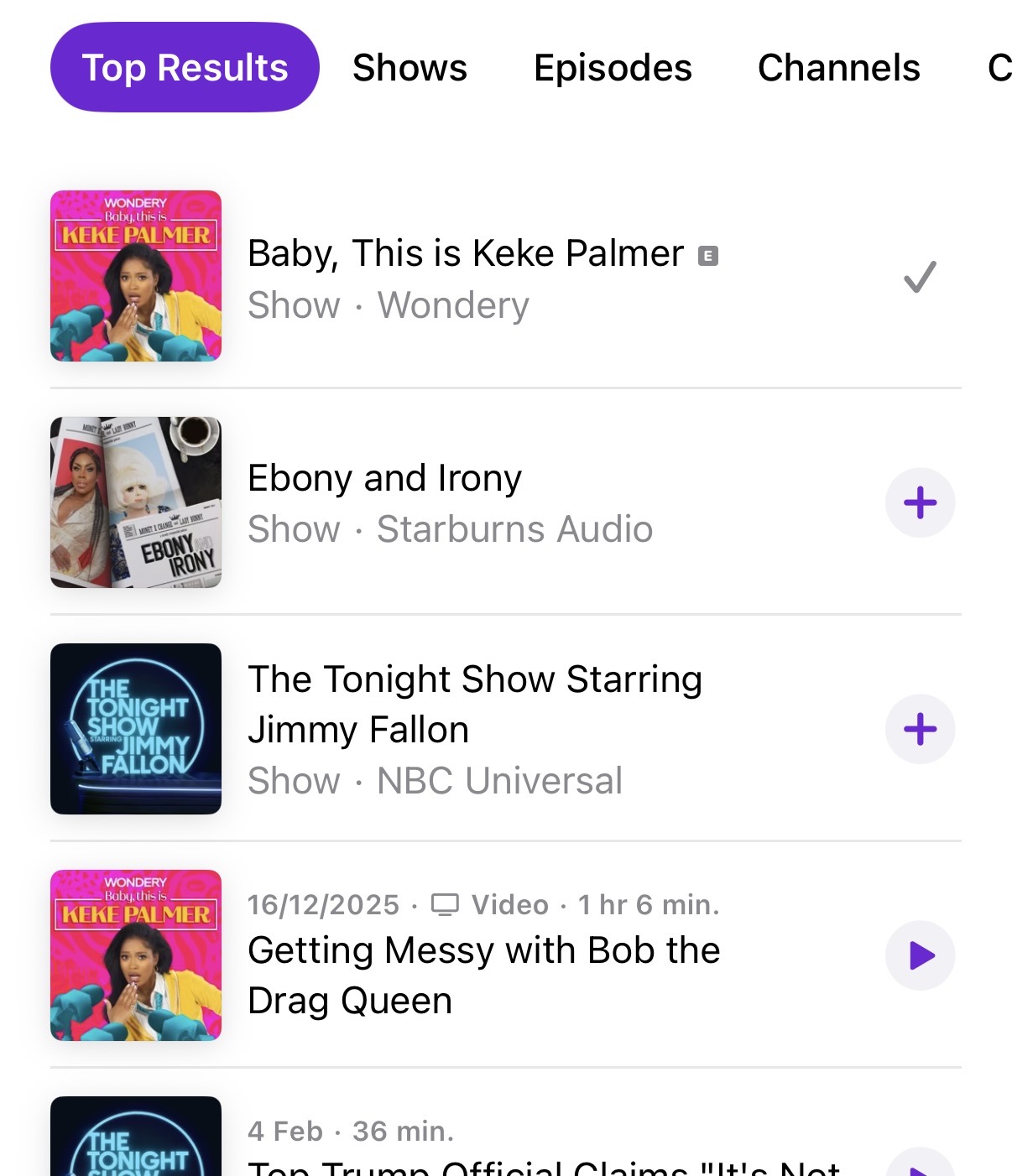
But, below, video podcasts aren’t highlighted in search, oddly - though individual episodes are.
As to playback - the video works nicely, and automatically, with the usual iPhone controls. You can send the video via AirPlay to anything capable of playing it (including Apple TV, which oddly doesn’t have video in the Apple Podcasts app). You can pop out the window into a little overlay while you doomscroll whatever social media you want to doomscroll.
We saw a dynamic ad in one of the videos we saw. The provider - Acast, in this case - had added a visual caption to the audio ad, saying “Advertisement: we’ll be back after this short message”.
You can play back video at 1.3x or other speeds if you want, just like audio podcasts. You can turn on Apple Podcasts’ “Enhance dialog” feature, to make voices clearer in the video, just like audio podcasts. Everything works like you would expect it to within Apple Podcasts - but with video.
Apple Podcasts still has transcripts, but those transcripts no longer display with “as you listen” highlights. You can’t tap a section you want to move forward/back to, to be able to hear/see it. I suspect that’s because the transcripts are for the audio, but the video file might differ in some way. That’s a bit messy. (“Time-synced Transcripts are not yet available for some video episodes”, the transcript says right at the bottom, though we haven’t seen a video episode with them available.)
More than that - Apple Podcasts also has captions/subtitles. But not for all shows. Baby, This is Keke Palmer has them, and you can turn them on. Mind If We Talk? does not have them. (iPhone does have on-device subtitles, which you can turn on; but not here in the Apple Podcasts app). Apple Podcasts does the same odd thing with full-screen video, if you’ve locked your auto-rotation, that makes full-screen video a small letterbox in the middle of the screen; and puts subtitles over the video, not underneath it.
Chapters don’t seem to appear on the scrub bar (even when just listening to audio); and chapter titles don’t appear in the player. We couldn’t see any timed links appear; though we are told that they should appear if they’re present (and these will work so much better with video).
There are auto-downloads for video - but this feature is not turned on by default. Apple’s usual auto-downloading of shows you follow continues to be audio, unless you opt-in to tell it to be video. (It should be noted that the audio download still uses this new HLS system - there’s no separate audio track).
Video streaming is also turned off by default for you if you’re on mobile data. I’m told there will be plenty of tooltips to help us understand this.
You can “Turn Video Off”, which switches to an audio-only experience (showing the episode artwork as you’d expect). This plays the audio track from the HLS file, as we detail in this article.
And all this video stuff also works just fine with MP4 files, like This Week In Tech, which play properly in full screen now. The user sees no appreciable difference between a video in MP4 and one delivered via HLS, excepting the need to find the special video feed.
The disappointing
It’s not available on the Apple Podcasts app in Apple TV. At all. You can AirPlay to your Apple TV, but the experience isn’t otherwise on Apple TV. Given the apparent use of video podcasts as a TV replacement, this is a strange omission.
Video in podcasts is available on the Apple Vision Pro. We’d say “why you’d want that is anyone’s business”, but we could say that about the Apple Vision Pro anyway. The specification allows podcasters to deliver immersive video for these devices though, so…
Apple doesn’t support alternateEnclosure, even for big old MP4's. This is a bad choice - because MP4s are the only way to get video into the Apple Podcasts app from self-hosted shows.
In fact, this is the first time Apple Podcasts has ever announced a feature that forces you to be a customer of a few large companies to use it.
Up until now, transcripts, chapters, subscriptions - all these features have been available to anyone, in a truly open manner. Other launches have been enhancement: auto-submissions of new shows, for example. But now, there is no access to HLS video if you’re self-hosting, or if you are using a small podcast hosting company. Apple Podcasts can’t talk about being open when this feature is closed to all but four companies.
By keeping HLS video away from the RSS feed, this is a proprietary solution for Apple Podcasts. No other player will see these HLS video feeds (unlike creator-produced transcripts, for example, which are visible everywhere). This is a shame.
However - there’s nothing to stop you from adding video to the alternateEnclosure for other companies to see: we’d suspect that the iHeartRadio app is likely to use HLS when iHeart launches open video support later this year. We know that Apple Podcasts happily ignores the alternateEnclosure from RSS feeds already, so it’s absolutely safe to do. That’s a tiny, incremental piece of work: so when turning on Apple Podcasts video, turn on the alternateEnclosure as well, and you’ll get access in a bunch more apps, too.
In conclusion
Apple rarely does things first: but it does them properly.
Video in Apple Podcasts is thoughtfully produced and well-made; it offers the very best of what Apple does, and is a genuine addition to the app.
Whether it’s truly “open” or not, it follows the ethos of podcasting - that creators should be responsible for distribution and for monetisation.
The Apple team are deep thinkers and want the best for the industry. This is a good move for the entire industry; and whatever we might think of the “per-impression” charge, it does mean that Apple also wants this to be a success.
Now, let’s see how quickly podcast producers embrace it - and how fast the Apple team can onboard new podcast hosts. (So far, the number has trebled in a month).
What the industry says
At PAVE Studios, Max Cutler posted a long piece on LinkedIn, pointing out that while Spotify and YouTube have announced future plans for dynamic ad insertion, Apple seems to have delivered it.
Bryan Barletta, Founder of Sounds Profitable, told Podnews: “This is the first video solution on a major platform in the creator space that puts full dynamic video ad serving control into the hands of the hosting platforms and creators. This isn’t just serving your own ads over DAI or enabling the platform to sell ads for you, it’s the podcaster in control. A tech fee attached to ad serving compared is incredibly refreshing when compared to a percentage of ad spend. This is a big deal.”
Podcast Discovery’s Matt Deegan writes that this changes the economic architecture of podcasts - enabling dynamic podcasts is one thing; but Apple now becomes part of the monetary flow of podcasts, not just the distribution layer.
Former Sony Music Entertainment exec Steve Ackerman says: “Dynamic ad insertion is something that YouTube has said is coming this year to their platform for podcasts but is not currently possible. And this is not something that Spotify yet allows in video. Indeed, some podcasters are sacrificing ad money for the right to upload video to Spotify. This therefore puts both Spotify and YouTube on the back foot, whilst getting Apple Podcasts back in the game in a significant way. For the podcast industry this opens another big new revenue stream, and should drive audience numbers up on Apple Podcasts when they had been going down. Which further reinforces why podcasting, across audio and video will continue its aggressive revenue growth.”